Graphic Design Course in Kukatpally
Learn the fundamentals of visual communication, creative design, typography, colour theory, and digital artwork with a Graphic Design Course in Kukatpally, Hyderabad. At Arena Animation Kukatpally, aspiring designers can explore graphic design concepts and develop practical skills to create visually engaging designs for branding, advertising, print media, and digital platforms.
Build your creative understanding, strengthen your design skills, and work towards developing a portfolio that showcases your ideas and creativity.
Course enquiry form
excellence
Learn Graphic Design with Creative and Practical Training
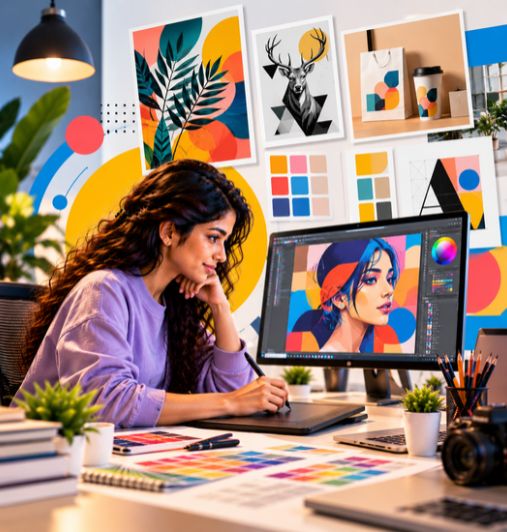
Graphic design is the practice of combining type, image, colour, and layout to communicate a message clearly and effectively. It is used across branding, advertising, publishing, social media, websites, packaging, and digital platforms — wherever a business or organisation needs to present information visually.
A Graphic Design Course in Kukatpally can help learners develop creative thinking, an understanding of design fundamentals, visual communication skills, and practical software knowledge. At Arena Animation Kukatpally, Hyderabad, the programme is structured to move from foundational concepts towards applied design work, so learners can build confidence progressively rather than relying on scattered tutorials.
A structured course helps learners approach design in a logical sequence — understanding principles first, then practising technique, then applying both to real design briefs. Key areas include design principles and visual communication, design software, typography, colour, composition, layout, branding, and portfolio development.
The aim of learning graphic design is not simply to understand individual tools. It is also to develop a structured approach to interpreting a brief, choosing suitable visual solutions, and presenting work that demonstrates creativity, technical ability, and process.
Why Choose a Graphic Design Course at Arena Animation Kukatpally?
A structured course helps learners approach design in a logical sequence — understanding principles first, then practising technique, then applying both to real design briefs. Here is what learners can expect to develop.
Understanding Design Principles and Visual Communication
Learn how hierarchy, balance, contrast, and alignment shape the way a design is read. Understanding these principles helps learners make more informed visual decisions.
Learning Graphic Design Software
Build familiarity with the tools used in professional design production, including image editing, vector graphics, and publication layout applications.
Practising Typography, Colour, Composition, and Layout
Develop the core craft skills behind every strong design — selecting and arranging type, working with colour, and composing layouts effectively.
Creating Branding and Promotional Designs
Apply design thinking to logos, identity systems, and campaign assets, learning how a consistent visual language supports a brand.
Developing Creative Problem-Solving Skills
Learn to interpret a design brief and arrive at a suitable visual solution, balancing creativity with clarity and purpose.
Building a Portfolio of Original Design Projects
Assemble work that demonstrates creativity, technical ability, and process — the foundation for presenting yourself to employers and clients.
Course Structure
The modules below present a logical learning sequence from foundational design concepts to practical projects. Confirm the official course name, duration, module sequence, and learning format against the current syllabus before publication — the outline below should be treated as a learning overview, not a confirmed module list.
Module 1
Fundamentals of Graphic Design
- Introduction to graphic design and visual communication
- Design principles and creative thinking
- Role of graphic design in print and digital media
Module 2
Colour Theory, Typography and Composition
- Colour combinations, contrast, and mood
- Font selection and visual hierarchy
- Alignment, balance, and layout composition
Module 3
Digital Image Editing and Manipulation
- Image correction and retouching
- Cropping and image composition
- Creative visual effects for design applications
Module 4
Vector Graphics and Logo Design
- Vector-based design concepts
- Shape creation and illustration fundamentals
- Logo development and visual identity concepts
Module 5
Print and Publication Design
- Design principles for posters, brochures, and flyers
- Publication layouts and advertisement design
- Typography and image placement for print
Module 6
Digital and Social Media Design
- Digital advertisements and social media graphics
- Promotional banners and online visual assets
- Designing for digital communication
Module 7
Creative Projects and Portfolio Development
- Apply design concepts to practical assignments
- Organise selected projects into a portfolio
- Demonstrate creativity, technical skills, and problem-solving
What Will You Learn?
The specific skills you develop will depend on the depth of instruction, practical exercises, and assignments included in your batch. Here are the core areas covered.
Typography
Selecting and arranging type to improve readability and visual hierarchy. Learners explore how font choice, size, spacing, and weight affect the way a design is read.
Colour Theory
Understanding colour combinations, contrast, mood, and consistency. Colour choices influence how a design feels and how clearly it communicates.
Layout Design
Arranging text, images, and visual elements effectively. Good layout guides the viewer's eye and makes information easier to absorb.
Logo Design
Exploring logo concepts and visual identity creation, from initial sketches to refined vector marks that represent a brand.
Branding
Creating consistent visual elements for a brand — logos, colour palettes, typography systems, and other identity assets that work together.
Image Editing
Editing, retouching, and preparing images for design projects, including correction, cropping, and composition.
Social Media Creatives
Designing suitable graphics for digital campaigns and social platforms, adapting visuals to different formats and audiences.
Print Design
Understanding layouts for brochures, posters, flyers, and other printed materials, including typography and image placement for print.
Industry-Standard Software & Tools
Graphic designers use different tools for image editing, vector graphics, logo creation, publication layout, and design production. The applications below are commonly associated with professional graphic design work. Confirm which tools are included in the actual course and whether students receive software access or licences — do not assume all applications are covered.
These tools have different functions, and their appearance in the brochure does not necessarily mean that every tool receives extensive practical training. Ask whether students receive demonstrations, guided exercises, software access, or independent practice tasks for each application. Do not imply that all applications are covered or that students receive paid software licences unless confirmed.
Career Opportunities After a Graphic Design Course
Graphic design includes roles that focus on visual communication, branding, layout, digital assets, and creative production. Completing a course may help learners build foundational knowledge, but employability also depends on practical skills, portfolio quality, software proficiency, experience, and employer requirements.
Graphic Designer
Creates visual designs for print and digital media, working from briefs to produce layouts, graphics, and promotional materials.
Visual Designer
Focuses on the overall visual language of a brand or product, including colour, typography, imagery, and consistency across touchpoints.
Brand Identity Designer
Develops logos, visual identity systems, and brand guidelines that give a business a consistent and recognisable look.
Social Media Designer
Creates graphics and visual assets for social media campaigns, adapting designs to different platforms, formats, and audiences.
Layout Artist
Arranges text, images, and visual elements for publications, advertisements, brochures, and other print or digital layouts.

Digital Design Assistant
Supports digital design projects, preparing assets for web, social media, and online campaigns under the guidance of senior designers.
Student Work & Design Portfolio
A strong portfolio demonstrates creativity, design fundamentals, software knowledge, and problem-solving ability. Students can present each project with its objective, design approach, tools used, and final output.
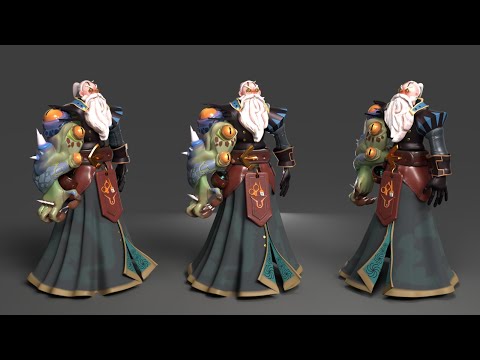

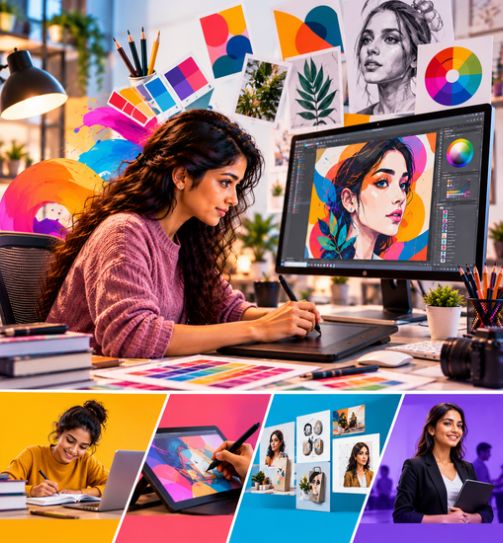
Learn. Practice. Build Your Portfolio. Get Career Ready.
Learning graphic design involves more than memorizing definitions or learning the names of tools. Learners need to understand why a design is being created, how the chosen visual approach supports the brief, and how feedback and review can improve the work.
Practical assignments can help students connect these ideas. A logo project can explain how a mark was developed; a layout task can demonstrate how text and image were arranged; and a portfolio review can show how work was selected and presented. The exact assignments and assessment process available at Arena Animation Kukatpally should be confirmed before enrolment.
- 01Recruitment PartnersDesign studios & agencies*
- 02Internship OpportunitiesReal project exposure*
- 03Portfolio & Showreel SupportBuild and present your work
- 04Career GuidancePathways in the creative industry
Eligibility & Admission
Arena Animation's general website FAQ states that learners can join its courses after Class 10. However, the eligibility criteria for the Graphic Design Course should be confirmed directly with the Kukatpally centre before applying. Prior design or software knowledge is not necessarily required, but confirm whether the current programme assumes any prior experience.
The published course page does not currently provide verified programme-specific fees, age requirements, minimum marks, documentation requirements, or a confirmed admission deadline. The admission enquiry and counselling process should be confirmed with the centre.
To enquire about admission, prospective students can contact Arena Animation Kukatpally and ask for:
- The latest official course syllabus and duration.
- Course-specific educational eligibility.
- Whether beginners can apply without prior design experience.
- Current fees and payment options.
- Available batch timings and start dates.
- The teaching format and practical assignments.
- The software and tools students are expected to use.
- The assessment, portfolio, and career-preparation process.
- Required documents, where applicable.
Take the next step: Contact Arena Animation Kukatpally to confirm the requirements for the Graphic Design Course in Kukatpally, Hyderabad and decide whether the programme matches your learning and career goals.
Check Your EligibilityCourse Duration & Learning Pathway
The confirmed course duration, learning format, and curriculum progression should be verified with the institute. The programme typically moves from design fundamentals towards more advanced areas such as branding, publication design, and digital creatives, where the institute offers these options.
Learners begin with foundational design concepts — visual communication, colour, typography, and composition — before progressing to applied work in image editing, vector graphics, logo design, print layout, and digital design. The final module focuses on creative projects and portfolio development.
If multiple graphic design programmes are available, their course names, duration, software coverage, and learning outcomes should be distinguished. Do not assume flexible schedules, certifications, academic credits, or formal progression pathways unless confirmed by the institute.
Arena Animation Kukatpally also lists related programmes in animation, VFX, multimedia, digital design, and digital marketing. These may be relevant to learners interested in adjacent creative disciplines, but they should not be treated as additional graphic design qualifications. Review each programme's individual syllabus and outcomes to determine which one best matches your goals.
Why Study Graphic Design in Kukatpally, Hyderabad?
Hyderabad is a growing hub for film, television, digital content, gaming and creative technology, offering studio opportunities, internships and a vibrant creative community.
Frequently Asked Questions
What is a Graphic Design Course in Kukatpally?
A Graphic Design Course in Kukatpally teaches learners the fundamentals of visual communication, creative design, typography, colour theory, and digital artwork. At Arena Animation Kukatpally, Hyderabad, the programme explores graphic design concepts and develops practical skills to create visually engaging designs for branding, advertising, print media, and digital platforms.
What is the duration of the graphic design course?
The confirmed course duration should be verified with Arena Animation Kukatpally before enrolling. The published course page does not currently provide a verified programme-specific duration, batch schedule, or learning format. Contact the centre for the latest details.
Who is eligible to join a graphic design course?
Arena Animation's general website FAQ says students can join its courses after Class 10. However, the specific eligibility requirements for the Graphic Design Course should be confirmed with the Kukatpally centre. Beginners may be able to apply, but confirm whether any prior design or software knowledge is assumed.
Which software is taught in graphic design training?
The applications commonly associated with professional graphic design work include Adobe Photoshop (image editing), Adobe Illustrator (vector graphics and logo design), and Adobe InDesign (publication and layout design). Confirm which tools are included in the actual course and whether students receive software access or licences.
Does the course include practical assignments and portfolio development?
The programme is structured to move from foundational design concepts to applied design work, with a final module focused on creative projects and portfolio development. Ask the admissions team which assignments, software demonstrations, project reviews, and assessment activities are included in the current batch.
What career opportunities are available after a graphic design course?
Potential career directions include graphic designer, visual designer, brand identity designer, social media designer, layout artist, digital design assistant, junior creative designer, and marketing design assistant. Suitable opportunities depend on practical skills, portfolio quality, software proficiency, experience, and employer requirements. Completing a course does not guarantee a job or salary.
What are the fees for the graphic design course?
The published course page does not currently provide verified programme-specific fees. Contact Arena Animation Kukatpally directly to confirm current fees and payment options before enrolling.
Does the course provide a certificate after completion?
Certificate details should be confirmed with the institute. The published course page does not currently provide verified certification information. Ask the admissions team what certificate or documentation is provided on completion.
Can beginners learn graphic design without prior experience?
Graphic design fundamentals can be a starting point for beginners. Before enrolling, ask whether the current programme assumes prior knowledge, what educational background is recommended, and how practical assignments are introduced.
How can I enquire about admission at Arena Animation Kukatpally?
You can contact Arena Animation Kukatpally at KSR Plaza, 2nd Floor, Plot No. 120–121, above HDFC Bank, Bhagyanagar Co-Op Society, KPHB, Housing Board, Kukatpally, Hyderabad – 500072. The website lists the contact numbers +91 99511 13007 and +91 99511 14007. Contact the centre to confirm current admission details, fees, batch schedules, and course availability.

Ready to Start Your Graphic Design Journey?
Join Arena Animation Kukatpally and build practical graphic design skills for your career.
Or call +91 99511 13007