

Video Editing Course in Kukatpally
Learn the art of visual storytelling with a Video Editing Course in Kukatpally, Hyderabad, at Arena Animation Kukatpally. Explore video editing techniques, timeline management, transitions, colour correction, audio synchronisation, and creative storytelling to understand how raw footage can be transformed into engaging video content.
Develop your editing skills through practical exercises and creative projects while working towards building a portfolio or showreel that demonstrates your abilities.
Course enquiry form
excellence
Learn Video Editing with Creative and Practical Training
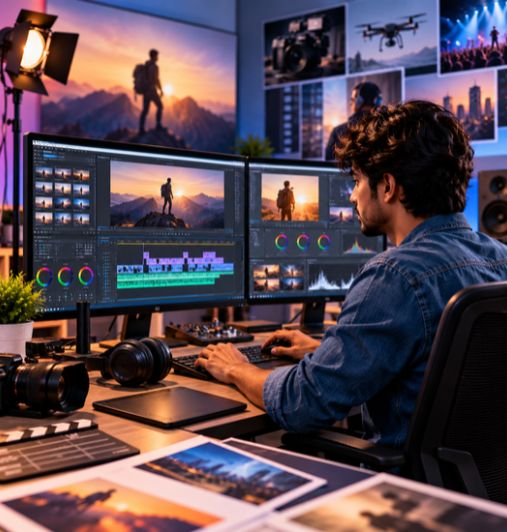
Video editing plays an important role in films, advertisements, social media, digital marketing, YouTube videos, and other forms of visual communication. It involves selecting footage, arranging scenes, refining audio, adjusting colours, and combining visual elements to communicate a story effectively.
At Arena Animation Kukatpally, aspiring editors can explore the fundamentals of video editing and understand how editing decisions influence the pace, mood, and message of a video. A Video Editing Course in Kukatpally can help learners develop technical knowledge, creative thinking, and an understanding of the post-production workflow.
Whether you are a beginner interested in video production or a creative learner looking to develop editing skills, structured training can help you understand editing techniques and apply them to different types of video content.
Why Choose a Video Editing Course?
Video editing requires a combination of technical accuracy, creativity, timing, and storytelling. Learning the editing process step by step can help students understand how to organise footage, improve visual continuity, and create content suited to different audiences and platforms.
Editing Fundamentals
Understand video formats, timelines, sequences, frame rates, and editing workflows.
Storytelling Techniques
Learn how shot selection, pacing, and scene arrangement influence the viewer's experience.
Transitions and Effects
Explore suitable transitions and basic visual effects to support the story.
Colour Correction
Understand how to improve exposure, colour balance, and visual consistency.
Audio Editing
Learn the basics of dialogue synchronisation, sound levels, music, and audio transitions.
Digital Content Creation
Explore editing approaches for promotional videos, social media content, interviews, and other formats.
Course Structure
The following proposed modules present a logical progression from editing fundamentals to project creation. Confirm the official Arena Animation Kukatpally syllabus before publishing these as actual course modules.
Module 1
Introduction to Video Editing
- Learn about video editing, the post-production process
- Common video formats, frame rates, resolution, aspect ratios
- The role of an editor in visual storytelling
Module 2
Timeline Editing and Sequencing
- Understand how to import media and organise footage
- Trim clips, arrange scenes, manage timelines
- Create a coherent sequence from multiple video clips
Module 3
Cutting, Transitions and Storytelling
- Explore different cutting techniques and continuity
- Pacing, scene transitions, and shot selection
- Create smooth and engaging visual narratives
Module 4
Audio Editing and Synchronisation
- Learn the fundamentals of synchronising audio and video
- Adjusting sound levels and arranging background music
- Improving audio continuity
Module 5
Colour Correction and Colour Grading
- Understand exposure, contrast, white balance
- Colour consistency and creative grading techniques
- Establish the visual mood of a video
Module 6
Titles, Graphics and Basic Visual Effects
- Explore the use of titles, subtitles, and text overlays
- Transitions and basic visual effects
- Support information delivery and enhance video presentation
Module 7
Social Media and Digital Video Editing
- Prepare video content for different platforms
- Suitable aspect ratios, pacing, and captions
- Formats for digital distribution
Module 8
Exporting and Video Delivery
- Learn about export settings and resolution
- Compression, file formats, and preparing finished video projects
- Ready for playback or online publishing
Module 9
Practical Projects and Showreel Development
- Apply editing concepts to suitable video assignments
- Select completed work for a showreel
- Demonstrate storytelling, technical skills, and creative decisions
What Will You Learn?
A Video Editing Course in Kukatpally can help learners develop the skills needed to organise footage, improve video quality, and create engaging visual content. The following topics should be included on the page only where they match the actual curriculum.
Video Trimming, Cutting and Sequencing
Learn how to select useful footage, remove unnecessary sections, arrange clips, and create a clear sequence. Accurate editing helps maintain continuity and communicate the intended message.
Storytelling and Editing Techniques
Understand how pacing, shot selection, scene order, and transitions influence the way a story is presented. Learn to structure video content for clarity, engagement, and emotional impact.
Transitions and Visual Effects
Explore cuts, fades, dissolves, and other transition techniques. Understand how basic effects can support the story without distracting viewers from the main content.
Colour Correction and Grading
Learn the difference between correcting footage and applying a creative colour style. Explore exposure, contrast, white balance, and colour consistency across multiple shots.
Audio Editing and Synchronisation
Understand how to synchronise dialogue with footage, adjust audio levels, incorporate background music, and maintain consistent sound throughout a project.
Titles, Subtitles and Graphics
Explore text overlays, opening titles, end credits, subtitles, and simple graphics that help communicate information and improve accessibility.
Social Media Video Editing
Learn the considerations involved in editing short-form and promotional content, including vertical video, suitable pacing, captions, and platform-appropriate formats.
Export Settings and Video Quality
Understand how resolution, aspect ratio, frame rate, compression, and file format affect the final output. Learn to select appropriate export settings for different viewing platforms.
Industry-Standard Software & Tools
Video editors use specialised applications to organise footage, refine audio, enhance colour, add graphics, and export finished videos. The software taught at Arena Animation Kukatpally should be confirmed against the current curriculum.
These tools have different functions, and their appearance in the brochure does not necessarily mean that every tool receives extensive practical training. Ask whether students receive demonstrations, guided exercises, software access, or independent practice tasks for each platform. Do not imply that all applications are covered or that students receive paid software licences unless confirmed.
Career Opportunities After a Video Editing Course
Video editing skills can be useful in film and television production, digital marketing, advertising, online content creation, and post-production. Depending on their skills, experience, showreel, and available opportunities, learners may explore roles such as:
Video Editor
Selects footage, arranges scenes, refines timing, synchronises audio, and prepares the final video.
Assistant Video Editor
Supports media organisation, footage preparation, project management, and editing tasks.
Social Media Video Editor
Creates short-form videos, promotional reels, and platform-specific visual content.
Content Editor
Helps assemble and refine video content to meet a brief, audience needs, and publishing requirements.
Post-Production Assistant
Supports editing workflows, file organisation, media preparation, and delivery processes.

Freelance Video Editor
Works on video editing assignments for clients, creators, businesses, or agencies, depending on experience and available projects.
Student Projects & Video Showreel
Practical projects help learners demonstrate how they apply editing techniques to different types of content. A video showreel brings selected work together to highlight editing ability, creative judgement, timing, and technical proficiency.
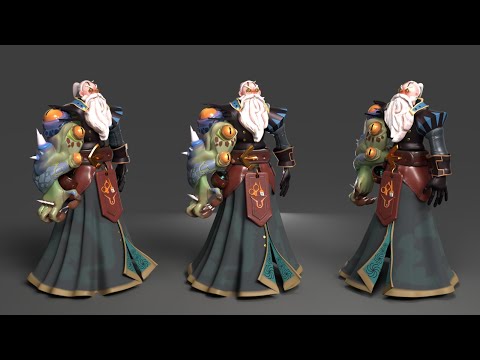
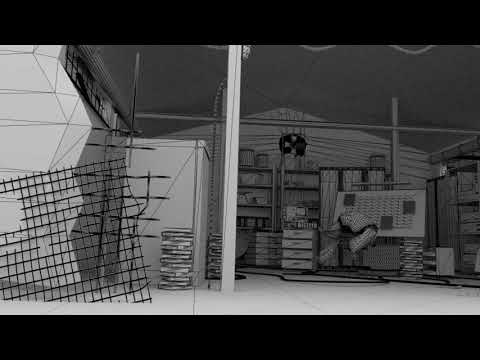
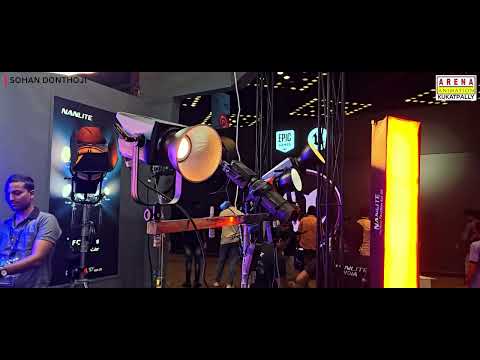
Depending on the actual course assignments, potential projects may include: Promotional videos (Edit footage into a concise video introducing a product, service, or event); Social media reels (Create short videos with suitable pacing, text, audio, and aspect ratios); Short films (Arrange scenes and dialogue to create a coherent narrative); Interview videos (Combine interview footage, supporting visuals, and clear audio); Advertisement concepts (Edit a promotional sequence around a defined message or creative brief); Storytelling videos (Use shot selection, scene order, music, and timing to communicate a story); Motion graphics projects (Incorporate animated titles or graphics where motion design is taught). For each project, students can explain the brief, editing approach, software used, challenges addressed, and final result.
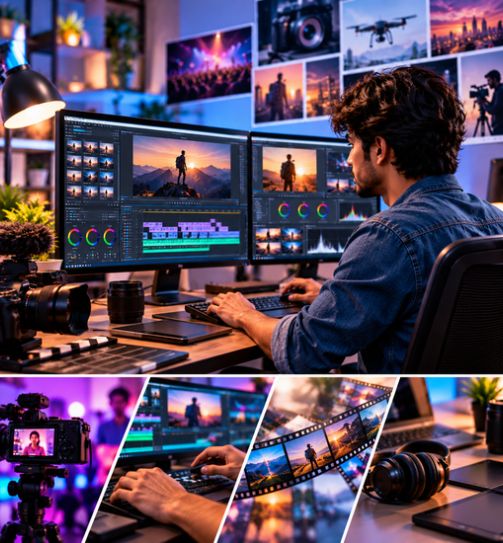
Learn. Edit. Create. Build Your Portfolio.
Developing video editing skills involves more than learning software controls. Editors need to understand the purpose of each scene, select the right footage, maintain visual continuity, refine audio, and deliver a video that meets its intended objective.
Practical exercises and suitable projects can help learners work towards a showreel that demonstrates accurate cutting, effective storytelling, consistent colour, clear audio, and correct export settings for the intended platform.
- 01Recruitment PartnersProduction houses & agencies*
- 02Internship OpportunitiesReal project exposure*
- 03Showreel SupportBuild and present your work
- 04Career GuidancePathways in media production
Eligibility & Admission
Eligibility requirements for the Video Editing Course at Arena Animation Kukatpally should be confirmed with the institute before enrolment. The course may interest beginners exploring video production, creative learners who want to develop editing skills, and aspiring content creators.
However, educational qualifications, prior software knowledge, and other prerequisites depend on the specific programme.
Before applying, ask the institute to confirm:
- Required educational qualifications, if any.
- Whether beginners without previous editing experience can enrol.
- Whether basic computer knowledge is required.
- Documents needed for registration.
- Current fees, admission procedures, and batch availability.
Contact Arena Animation Kukatpally to discuss your interests and confirm whether the available programme matches your learning goals.
Check Your EligibilityCourse Duration & Learning Pathway
The course duration, class schedule, training format, and curriculum sequence for Arena Animation Kukatpally's Video Editing Course have not been verified. Contact the institute for current details before making an enrolment decision.
A typical video editing learning pathway may include several key stages where covered by the official syllabus: Editing fundamentals (video formats, timelines, frame rates, and post-production); Editing and sequencing (cutting footage, arranging scenes, and maintaining continuity); Audio and colour (synchronisation, sound levels, correction, and visual consistency); Titles and effects (text, transitions, graphics, and visual effects); Project development (promotional videos, interviews, short films, or social media content); and Showreel preparation (selecting and presenting completed projects).
Why Study Video Editing in Kukatpally, Hyderabad?
Hyderabad is a major hub for film, television, digital content, and creative technology. The city offers production houses, post-production studios, digital agencies, and a growing demand for social media and streaming content.
Frequently Asked Questions
What is a Video Editing Course in Kukatpally?
A Video Editing Course teaches the fundamentals of arranging footage, cutting clips, storytelling, audio synchronisation, colour correction, and exporting videos. The specific topics covered depend on the institute's curriculum.
What is the duration of the video editing course?
The current course duration at Arena Animation Kukatpally needs to be confirmed with the institute. Enquire about the programme length, class schedule, and practical training hours.
Who is eligible to join a video editing course?
Eligibility depends on the specific programme. Contact Arena Animation Kukatpally to confirm educational qualifications, computer knowledge requirements, and whether beginners can apply.
Which software is taught in video editing training?
Adobe Premiere Pro and Adobe After Effects are examples of applications used in video editing and motion graphics. Confirm which applications are included in the current Arena Animation Kukatpally curriculum.
Does the course include practical training and projects?
Practical exercises can help learners apply editing techniques to footage and develop storytelling skills. Ask the institute whether the current course includes hands-on assignments, project work, and showreel preparation.
Do I need a laptop or computer for the course?
Video editing requires a computer capable of running the relevant editing software. Ask the institute about recommended system specifications, whether lab facilities are available, and whether students need their own equipment.
What career opportunities are available after a video editing course?
Potential roles include Video Editor, Assistant Video Editor, Social Media Video Editor, Content Editor, and Post-Production Assistant. Opportunities depend on skills, experience, portfolio quality, and employer requirements.
What are the fees for the video editing course?
The current course fees have not been verified. Contact Arena Animation Kukatpally for the latest fee structure and ask whether additional software, equipment, or registration costs apply.

Ready to Start Your Video Editing Journey?
Join Arena Animation Kukatpally and build practical video editing skills for your career.
Or call +91 99511 13007