

UI/UX Design Course in Kukatpally
Build your creative and technical skills with a UI/UX Design Course in Kukatpally, Hyderabad, at Arena Animation Kukatpally. Learn how to design intuitive website interfaces, engaging mobile applications, and user-friendly digital experiences by understanding user needs, visual design principles, wireframing, prototyping, and usability. Develop practical design skills, explore industry-relevant tools, and work towards building a portfolio that showcases your creativity and problem-solving abilities.
Course enquiry form

excellence
Build Creative Skills in User Interface and User Experience Design
UI (User Interface) and UX (User Experience) design play an important role in creating effective digital products. UI design focuses on the visual elements of a website or application, including layouts, colours, typography, buttons, and interactive components. UX design focuses on how users interact with a product, helping designers create experiences that are intuitive, accessible, and easy to navigate.
At Arena Animation Kukatpally, aspiring designers can explore the principles of UI/UX design and understand how creativity, research, and technology work together to improve digital experiences. A UI/UX Design Course in Kukatpally can help learners develop an understanding of user research, information architecture, interface design, wireframing, and prototyping.
Whether you are a beginner exploring a creative career or a learner interested in digital product design, UI/UX design provides an opportunity to combine visual thinking with user-centred problem-solving.
Why Choose a UI/UX Design Course at Arena Animation Kukatpally?
Learning UI/UX design involves more than creating attractive screens. It requires understanding user behaviour, organising information, designing interactions, and evaluating whether a digital product meets user needs. A structured UI/UX Design Training programme can help learners understand these concepts and apply them to practical design challenges. Key areas of learning include:
Design Fundamentals
Understand visual hierarchy, typography, colour theory, spacing, alignment, and consistency.
User-Centred Design
Learn to consider user needs, goals, expectations, and challenges when designing digital products.
Research and Planning
Explore how user research, personas, and user journeys help inform design decisions.
Wireframing and Prototyping
Develop screen layouts and interactive concepts before moving towards final designs.
Interface Design
Practise creating visually consistent interfaces for websites, mobile applications, and other digital platforms.
Practical Projects & Portfolio
Apply design concepts to suitable assignments and develop problem-solving skills. Organise genuine design projects to demonstrate your process, creativity, and technical understanding.
Arena Animation Kukatpally offers a local option for students exploring UI/UX design training in Kukatpally. Contact the institute to confirm the current syllabus, software coverage, practical training format, and available student support.
Course Structure
The following proposed module structure outlines the major concepts commonly associated with UI/UX design. The official Arena Animation Kukatpally curriculum should be confirmed before these modules are presented as part of the actual course.
Module 1
UI/UX Design Fundamentals
- Introduction to user interface design, user experience design, design thinking, and visual communication
- Usability and the role of designers in digital product development
Module 2
User Research and User Analysis
- User needs, research methods, user personas, and pain points
- User journeys and how people interact with websites and applications
Module 3
Information Architecture and User Flows
- Organising content and creating navigation structures
- Mapping user journeys and planning logical paths that help users complete tasks efficiently
Module 4
Wireframing and Interface Layouts
- Developing low-fidelity screen layouts and organising interface elements
- Planning the structure of website pages and mobile application screens
Module 5
Visual UI Design
- Typography, colour systems, spacing, buttons, forms, icons, and visual hierarchy
- Reusable interface components for consistent designs
Module 6
Interaction Design and Prototyping
- Interactive states, navigation behaviour, and screen transitions
- Clickable prototypes that demonstrate how a proposed digital product works
Module 7
Responsive Design and Accessibility
- Adapting interfaces to different screen sizes
- Readability, clear navigation, contrast, and inclusive design practices
Module 8
Usability Testing and Design Improvement
- Evaluating interface usability and identifying user difficulties
- Gathering feedback and refining design solutions based on observations
Module 9
Practical Projects and Portfolio Development
- Apply the design process to suitable website or application concepts
- Document the problem, design decisions, prototypes, and final outcomes
What Will You Learn?
A UI/UX Designing Course in Kukatpally can help learners develop a range of skills for planning, designing, and evaluating digital experiences. The following learning outcomes should be aligned with the institute's confirmed curriculum.
UI Design Principles
Understand how colour, typography, alignment, spacing, contrast, and visual hierarchy influence the appearance and usability of digital interfaces. Apply these principles to create clear, consistent website and mobile application screens.
UX Research and User Personas
Explore how designers identify user needs, understand common challenges, and organise research findings. Learn how user personas can represent key user groups and help guide design decisions.
User Journeys and Information Architecture
Learn to map the steps users take to complete a task and organise content into a logical structure. Effective information architecture helps users find relevant information and navigate digital products more easily.
Wireframing and Prototyping
Create wireframes to plan screen layouts before developing detailed visual designs. Explore prototypes to demonstrate navigation, interactions, and screen transitions before implementation.
Responsive Interface Design
Understand how interfaces can adapt to desktop, tablet, and mobile screens. Learn to consider content priority, flexible layouts, readability, and consistent navigation across devices.
Usability Testing and Accessibility
Explore ways to evaluate whether users can navigate an interface and complete tasks successfully. Understand accessibility considerations such as readable text, sufficient contrast, clear labels, and predictable interactions.
Design Systems and Reusable Components
Learn the concepts behind consistent interface components, shared styles, buttons, forms, and design patterns. Reusable elements can help maintain visual consistency across multiple screens and product features.
Interaction Design and Micro-interactions
Explore how users interact with digital products through buttons, forms, transitions, and feedback. Learn to design predictable interaction states and subtle micro-interactions that make an interface feel responsive, intuitive, and engaging without causing confusion.
Industry-Standard Software & Tools
UI/UX designers use digital tools to create layouts, develop prototypes, collaborate on design concepts, and refine user experiences. The tools available in the course should be confirmed with Arena Animation Kukatpally.
These tools have different functions, and their appearance in the brochure does not necessarily mean that every tool receives extensive practical training. Ask whether students receive demonstrations, guided exercises, software access, or independent practice tasks for each platform.
Career Opportunities After a UI/UX Design Course
UI/UX design skills can be relevant to organisations that develop websites, mobile applications, digital services, and software products. Depending on their skills, experience, portfolio, and the roles available, learners may explore career paths such as:
UI Designer
Creates visual interface layouts, buttons, typography, colours, and reusable components.

UX Designer
Focuses on user needs, task flows, navigation, usability, and the overall experience of using a product.

UI/UX Designer
Works across interface design and user experience planning to create cohesive digital products.
Product Designer
Helps shape digital product experiences by combining user needs, interaction design, interface design, and product goals.

Interaction Designer
Designs how users interact with interface elements, including controls, transitions, and feedback.

UX Research Assistant
Supports user research activities, interview preparation, usability studies, and the organisation of research findings.
A UI/UX Design Course in Hyderabad can provide a foundation for exploring these roles, but career outcomes depend on practical ability, software proficiency, communication skills, portfolio quality, experience, and employer requirements. Completing a course does not guarantee a job or placement.
Student Projects & Design Portfolio
A design portfolio helps demonstrate how a learner approaches problems, understands user needs, and translates ideas into usable digital experiences. Alongside final screens, a strong portfolio can explain the decisions and process behind each project. Depending on the actual course assignments, portfolio projects may include:
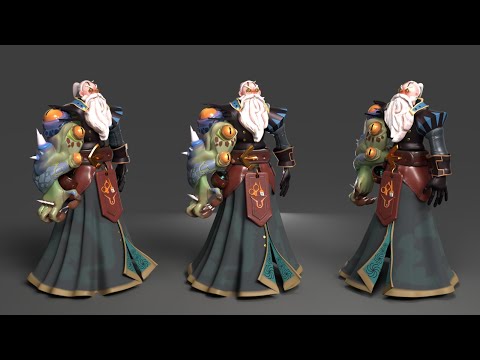



Portfolio projects may include: website UI design; mobile app interface; interactive prototype; dashboard design; user journey and wireframe; usability improvement project; and design system concept. For each project, students should explain the objective, intended users, problem being addressed, design process, tools used, and final outcome. Genuine student work should be used to demonstrate the learning experience; sample concepts should not be presented as real client projects.

Learn. Design. Prototype. Build Your Portfolio. Get Career Ready.
Developing UI/UX skills involves applying design principles to practical challenges rather than focusing only on the appearance of a screen. Learners benefit from understanding the problem, planning a solution, creating wireframes, developing interface designs, and reviewing the proposed experience.
Through relevant exercises and projects, students can work towards building a portfolio that demonstrates: a clear understanding of user needs and design objectives; logical screen layouts and navigation flows; consistent visual design and reusable components; thoughtful interaction and prototyping decisions; attention to accessibility and usability; and the ability to explain and present design decisions.
- 01Recruitment PartnersDesign studios, tech & product companies*
- 02Internship OpportunitiesReal project exposure*
- 03Portfolio & Prototype SupportBuild and present your work
- 04Career GuidancePathways in digital product design
At Arena Animation Kukatpally, prospective students can enquire about the current UI/UX course structure, practical assignments, software training, and portfolio development opportunities.
Enquire NowEligibility & Admission
The eligibility requirements for a UI/UX Design Course in Kukatpally should be confirmed directly with Arena Animation Kukatpally before enrolment. Students interested in the field may include beginners exploring digital design, creative learners looking to develop interface design skills, and individuals interested in website or mobile application design.
Whether prior design experience, specific educational qualifications, or software knowledge is required depends on the particular programme.
Before applying, prospective students should confirm:
- Minimum educational qualifications, if applicable.
- Whether beginners without previous design experience can enrol.
- Any required computer or software knowledge.
- The documents needed for registration.
- Current admission procedures, fees, and available batches.
Contact the institute to discuss your learning goals, review the course details, and determine whether the programme is suitable for you.
Check Your EligibilityCourse Duration & Learning Pathway
The duration, class schedule, learning format, and progression of the UI/UX Design Course at Arena Animation Kukatpally must be confirmed with the institute. These details should not be published until the current programme information is available.
A UI/UX learning pathway may progress through several key stages where included in the course: Design foundations (visual design principles, interface conventions, and user-centred design); UX planning (research, user personas, information architecture, and user flows); Interface development (wireframes, screen layouts, visual components, and responsive design concepts); Prototyping and evaluation (demonstrating interactions and exploring usability testing methods); and Project and portfolio development (applying learning to suitable design briefs and documenting the final work).
Why Study UI/UX Design in Kukatpally, Hyderabad?
Hyderabad is a growing hub for technology, digital products, startups, film, digital content, gaming and creative technology, offering product design opportunities, internships and a vibrant creative community.
Frequently Asked Questions
What is a UI/UX Design Course in Kukatpally?
A UI/UX Design Course introduces learners to designing user interfaces and improving digital user experiences. Topics may include visual design, user research, wireframing, prototyping, interaction design, and usability, depending on the official curriculum.
What is the duration of the UI/UX design course?
The current course duration at Arena Animation Kukatpally needs to be confirmed with the institute. Enquire about the programme length, class schedule, and practical learning hours before enrolling.
Who is eligible to join a UI/UX design course?
Eligibility depends on the specific programme. Contact Arena Animation Kukatpally to confirm educational requirements, prior experience expectations, and whether beginners can apply.
Which software is taught in UI/UX design training?
Figma and Adobe XD are examples of tools used for interface design and prototyping. The software included in Arena Animation Kukatpally's current course should be confirmed directly with the institute.
Does the course include practical assignments and portfolio development?
Practical projects and portfolio development are valuable parts of UI/UX learning. Ask the institute whether its current programme includes wireframing exercises, interface projects, interactive prototypes, and portfolio guidance.
What career opportunities are available after a UI/UX design course?
Potential career paths include UI Designer, UX Designer, UI/UX Designer, Product Designer, Interaction Designer, and UX Research Assistant. Opportunities depend on the learner's skills, portfolio, experience, and employer requirements.
What are the fees for the UI/UX design course?
Course fees have not been verified. Contact Arena Animation Kukatpally for the current fee structure and ask whether any registration charges, software expenses, or other costs apply.
Does the course provide a certificate after completion?
Certification details need confirmation from the institute. Before enrolling, ask about the certificate awarded, issuing organisation, and any requirements for successful completion.

Ready to Start Your UI/UX Design Journey?
Join Arena Animation Kukatpally and build practical UI/UX design skills for your career.
Or call +91 99511 13007